
Apps & desktops on the cloud (Beta)
Run full graphical apps and whole operating systems on a streamed cloud desktop, Blender, GIMP, Chromium, Windows, Android emulators, and more.
Run full graphical apps and whole operating systems on a streamed cloud desktop, right inside your taiku session.
Beta, a look at what's possible
Cloud desktops are experimental and availability varies by account. This page is a showcase of what you can run, not a setup guide. Things may change, and not everything shown is enabled everywhere yet.
A remote dev machine isn't limited to a terminal. When a cloud desktop is available, you get a real graphical Linux desktop streamed into your browser, and from there you can run heavyweight creative tools, run a full browser, build and test desktop apps, and even boot entire other operating systems.
How to use it
Open the Remote Desktop control on the session toolbar and taiku streams the machine's screen into a tile beside your terminals. From there it works like a desktop you are sitting at: take control to drive it, transfer control between your windows or devices, paste from your local clipboard, and tune the stream quality. The full walkthrough of those controls lives in the remote desktop guide.
To start an app, open the Apps menu on the desktop tile and pick one. Built-in apps open right away; apps you install pin to the dock as their window appears, while runtimes and toolchains set themselves up in the background. Once an app is open, drive it exactly as you would locally. You can even do this from a phone or tablet, control an Android emulator or any other app on the streamed desktop from your pocket.
Creative and graphical tools
Run desktop-class creative software on cloud hardware, with everything streamed to your browser. No local install, no GPU on your laptop required, as shown above with Blender's full 3D workspace.
GIMP for image editing, open, edit, and export images entirely on the cloud machine.
Browsers and app development
Run a complete browser and develop graphical apps on the cloud desktop, then test them where they run.
A full Chromium browser, useful for testing web apps or browsing from the cloud machine.
Develop and test an Electron desktop app on a Linux cloud desktop, build it and launch the real window without ever leaving the session.
Whole operating systems
Go beyond a single app and stream an entire operating system into your session.
A full Windows desktop running on a cloud machine, streamed into taiku.
An Android emulator, try mobile apps on a real virtual device, no phone needed.
Choose what to share
A streamed desktop does not have to mean the whole screen. The Capture target menu on the desktop toolbar lets you narrow what is sent:
- Entire screen: the full monitor. On a machine with more than one, pick which one to stream.
- A single window: just one app's window, so the rest of the desktop stays off-screen.
- A browser tab: one tab from a running Chromium-based browser (Chrome, Edge, Brave, or Chromium), leaving your other tabs and windows private. Arc locks down remote debugging, so it does not expose individual tabs; share its window instead.
Whatever you pick stays interactive: clicks, typing, and scrolling land on that exact window or tab, not just a picture of it. Window and tab streams pause while the target is minimized and pick back up when you bring it forward.
taiku inside taiku
Because a cloud desktop is a real desktop, you can even run taiku itself on it.
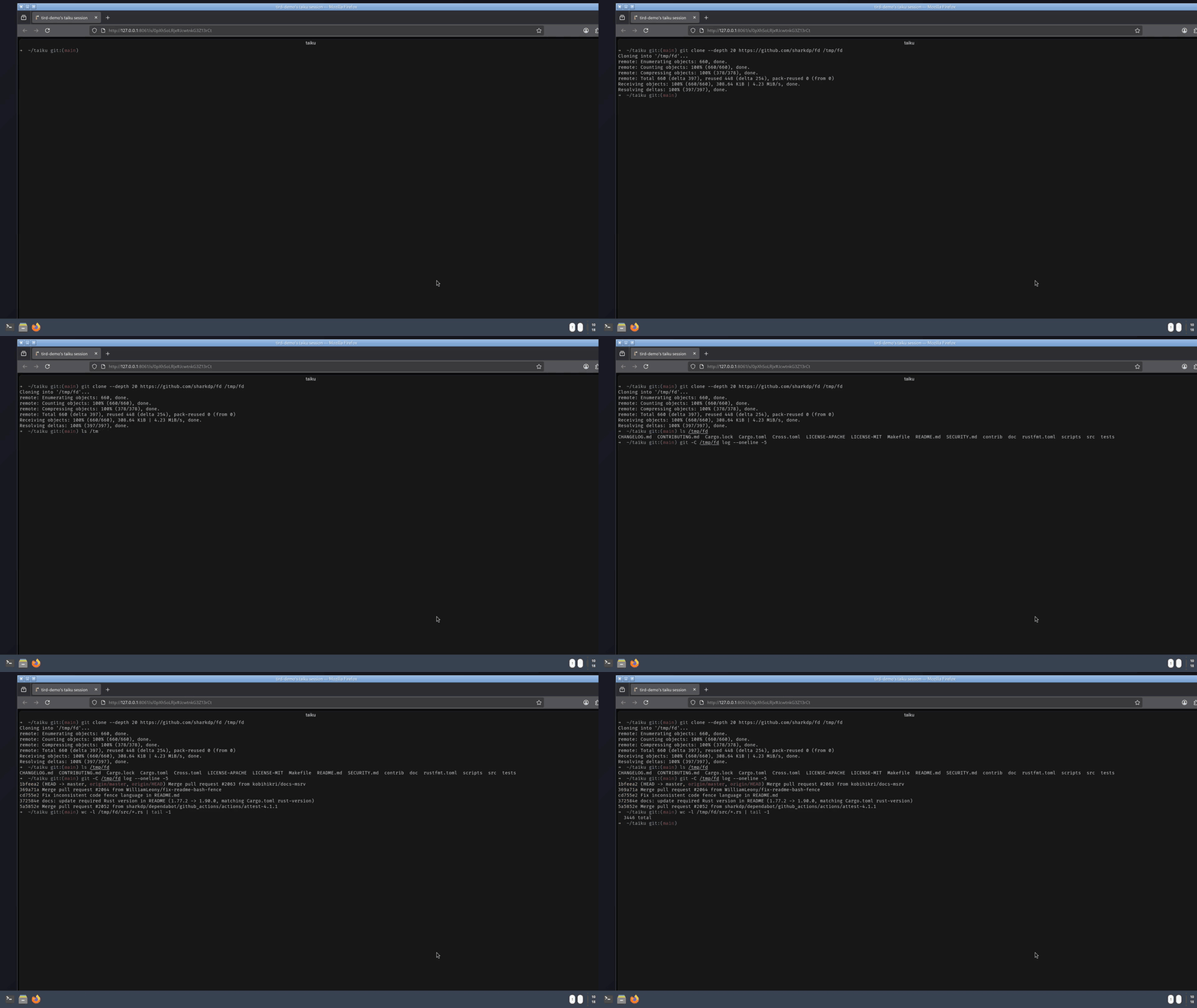
taiku open inside a streamed remote desktop, a session within a session.