
Voice dictation
Speak instead of type. taiku transcribes your voice and inserts it into the focused terminal, agent chat, or text field.
Speak instead of type, taiku transcribes what you say and drops it right where your cursor is.
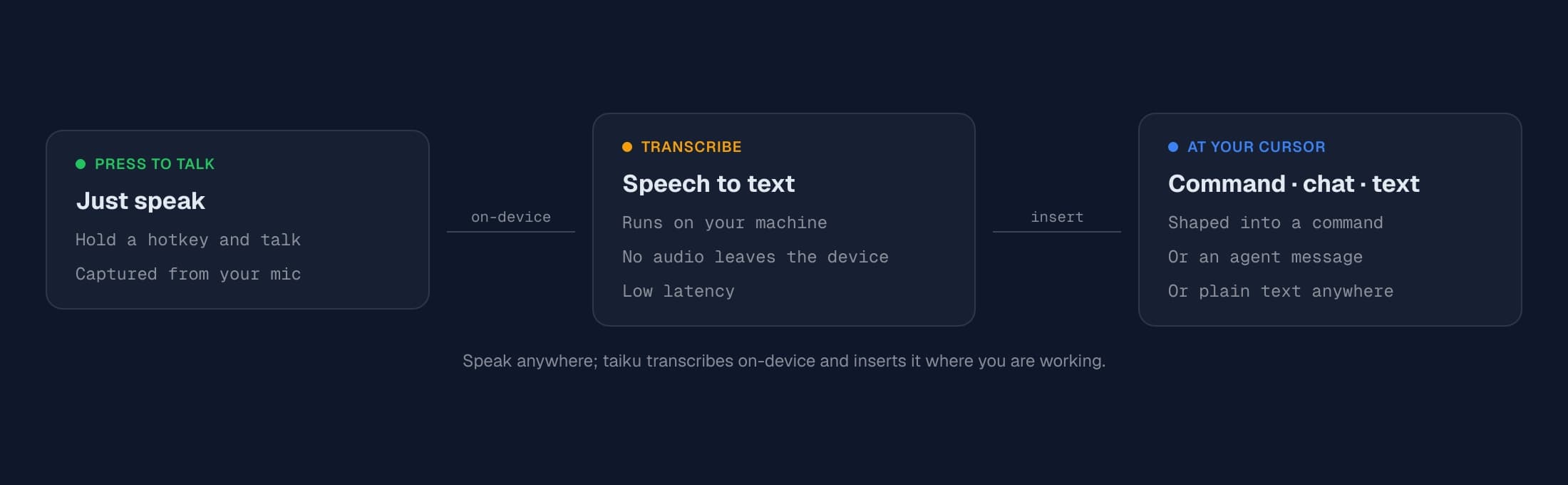
Dictate a long command, talk to an AI agent hands-free, or fill in a text field without touching the keyboard.
Starting and stopping
- Desktop app: press Cmd+D (macOS) / Ctrl+D (Windows/Linux), or tap Caps Lock. Press the same key again to stop.
- Mobile: tap the Mic button on the on-screen keyboard bar.
The shortcut is the "Toggle Voice Dictation" command, so you can rebind it from Settings → Keyboard shortcuts if those keys clash with something else.
While you are speaking, a small red microphone appears at the insertion point so you can see exactly where the text will land. When you finish, taiku shows a brief "Transcribing…" indicator and then inserts the result.
Recording stops on its own when you stop talking, so you usually do not need to press the key a second time.
Where the text goes
taiku tailors the transcript to whatever is focused:
- A terminal: your words are cleaned up into a runnable command and typed at the prompt.
- An AI agent's chat box: lightly cleaned up and inserted as a message to the agent.
- Any other text field: inserted more or less verbatim.
Nothing is sent until transcription finishes, and the text is inserted as if you had typed it, so you can review and edit before running or sending it.
When dictating at a terminal, taiku also sends a few recent lines of terminal
output along with your words so it can turn a phrase into the right command for
where you are. Obvious secrets (tokens, KEY=value credentials, bearer headers)
are redacted before that context leaves your machine. Prefer fully on-device
transcription? Choose the on-device engine in
Settings → Voice.
Setup and permissions
Voice dictation needs access to your microphone, which your browser or operating
system will prompt for the first time you use it. In a browser, the page must be
served over HTTPS (or localhost); browsers block microphone access on plain
HTTP.
You can choose which microphone to use and confirm it is working under Settings → Voice:
- Pick an input device from the dropdown (defaults to your system mic).
- Use Test microphone to watch the level meter and verify taiku is hearing you.
If your server administrator has not enabled voice transcription, taiku tells you that voice dictation is not configured instead of recording.
On Linux desktop builds, voice needs a recent version of the app: microphone capture in the desktop window is only enabled in current builds, so update taiku if dictation reports that the microphone is unavailable.
Tips
- Double-tap to speak and send. Double-tap the dictation key to have taiku transcribe and then submit automatically, handy for firing off a quick command or chat message without reaching for Enter.
- Dictate into any field. Voice isn't just for the terminal. Focus an agent's chat box, a document, a search box, or any text field and dictate, and taiku adapts what it inserts to where your cursor is (a runnable command in a shell, lightly cleaned text in a chat, plain text elsewhere).
- Dictation is currently tuned for English.
- For terminal commands, speak naturally, taiku shapes the phrasing into a command, but always glance at the result before pressing Enter.
- Pair it with agents: focus an agent's prompt, dictate your instruction, and keep your hands on the keyboard for everything else.