
Documents
Write and co-author rich markdown and MDX notes with live previews.
taiku turns any markdown or MDX file into a working document, a live-preview editor for runbooks, design notes, READMEs, and agent skill files, right next to the terminals that produced them.
Read and edit modes
Open a markdown or MDX document and you get a reading view with rendered formatting, links, and embeds. Switch to edit mode to change the source, and the preview re-renders as you type. Relative links resolve against the file's own location, so a runbook that points to a sibling note just works.
Markdown and MDX behave the same way in taiku, same read and edit surface, same features below. Documents are also fully collaborative: open one in a shared session and several people can edit it at once, with changes merging live. See Multiplayer editing for how co-authoring works.
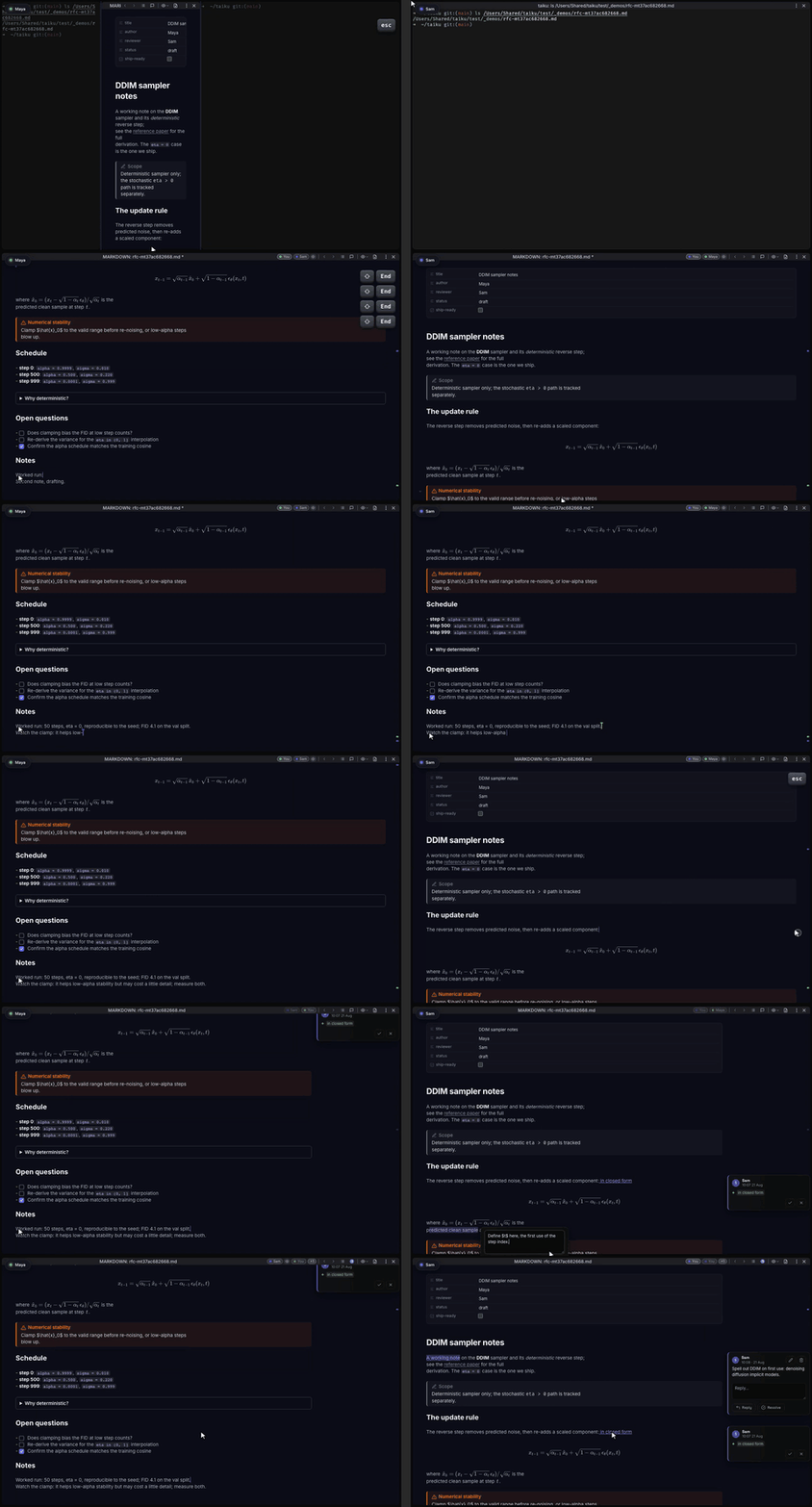
Your scroll position and cursor follow the document as you switch between source and preview or step back to a note you opened earlier, so you land where you left off instead of at the top.
Diagrams and math
Fenced diagrams and inline math render directly in the preview and re-render as you edit.
Code fences tagged mermaid (or mmd) become diagrams:
graph TD
  A[Build] --> B[Test]
  B --> C[Deploy]
Math uses dollar signs, single dollars for inline math, double dollars for a block:
The Pythagorean identity is $a^2 + b^2 = c^2$.$$
\int_0^\infty e^{-x^2}\,dx = \tfrac{\sqrt{\pi}}{2}
$$When your cursor enters a math span the source becomes editable again, then re-renders the moment you move away.
Callouts, footnotes, and emoji
Blockquotes that start with a typed marker render as styled callouts, matching the conventions you may know from other note tools:
> [!NOTE] Optional title
> Body of the callout.
Supported types include note, info, tip, success, question, warning,
failure, danger, bug, example, quote, todo, and abstract, along
with common aliases. Add + or - after the type to start expanded or
collapsed; the title line toggles it.
Footnotes use the standard reference-and-definition form. References render as superscript anchors, and the definitions gather into a footer with back-links:
This claim needs a citation.[^source]

[^source]: Author, *Title*, 2024.
Emoji shortcodes between colons, like :rocket: or :warning:, render as
glyphs in preview while staying editable on the active line so you can fix a
name without fighting the renderer.
Embeds and links
Embeds pull another file into the rendered document. Standard image syntax works as expected:
Wiki-style embeds with a leading ! reach across your notes and adapt to the
target's type, images render inline, PDFs render as a paged viewer, audio and
video get player controls, and other text files render as a nested read-only
preview:
![[diagram.png]]
![[spec.pdf]]
![[clip.mp4]]
![[shared-section.md]]
Without the leading !, [[note]] is a plain wikilink that navigates to the
note instead of embedding it. Typing [[ suggests notes from your workspace as
you type, and / opens a menu of insertable blocks like links, images, and
video:
Frontmatter, tags, and aliases
A document can start with a --- YAML block. Common fields get lightweight
controls, and you can always edit the raw YAML.
Tags work as inline hashtags like #incident or as frontmatter fields. Opening
a tag shows a generated page listing everything that carries it, which you can
navigate like any other document.
An aliases list (or a single alias) registers alternate titles for a note.
If two files claim the same alias, taiku surfaces the conflict so you can
resolve it.
Live JSX and TSX previews
Code fences marked jsx or tsx can show a live preview next to the source, so
a document can include a working component instead of a screenshot. Previews run
in an isolated sandbox; if one can't load, the fence source still renders
normally. Advanced frontmatter fields let you configure the props and globals
available to these previews.
Review with comments and suggestions
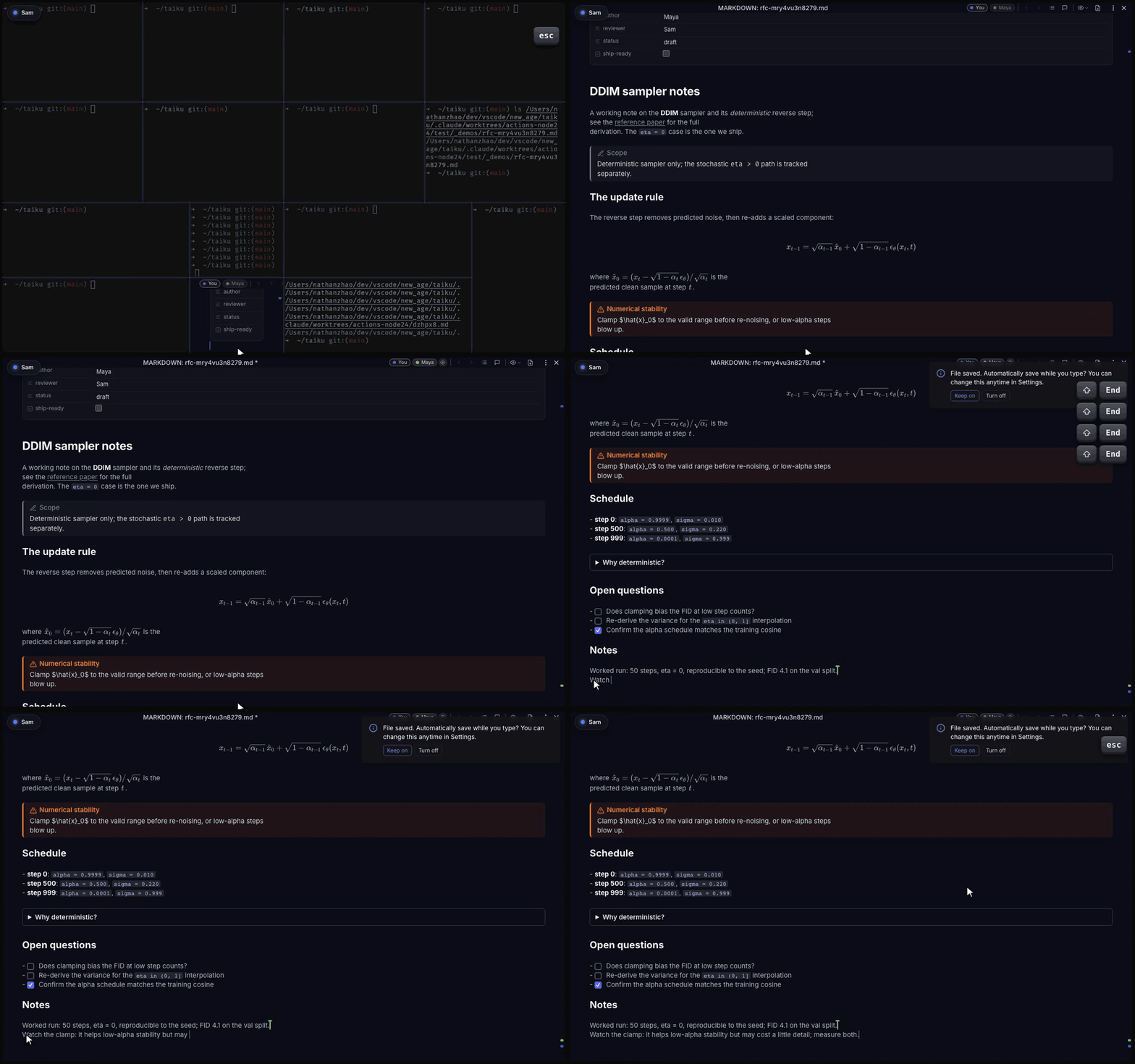
You can annotate a document without changing its text. Select a passage in the rendered view and leave a comment, or switch to suggesting mode so your edits land as tracked changes the author can accept. Each one shows as a card in the right-margin rail beside the line it marks, and commenting a rich block like a callout or a LaTeX formula reveals that block's source so the note reads against the exact text. See Multiplayer editing for the per-person Editing, Suggesting, Commenting, and Viewing modes.
Export to PDF
When a document is ready to share outside taiku, you can export a rendered PDF. The desktop app downloads the PDF directly; in the browser, taiku uses the print flow.